
Prepare for GCC-TBC — with structured practice
GCC-TBC Mentor is a focused GCC-TBC practice trainer by GradeTyping. Practise typing, letters, statements & theory in मराठी, English & Hindi — with configurable timed practice, fully offline.
- ✓ Works fully offline
- ✓ Activates in seconds
- ✓ Free updates for a year
Proudly serving typing institutes across Maharashtra
Free typing sites don't prepare you for this exam
The GCC-TBC test isn't just speed. It's formatting, theory, strict rules and a ticking clock — under pressure, in your language.
✕ Practising the hard way
- Generic typing games with no exam rules
- No Marathi / Devanagari exam layout
- Word & Excel formatting marks left to guesswork
- No theory question practice
- Exam-day nerves from an unfamiliar interface
✓ Practising with GradeTyping
- Configurable timed sessions and optional backspace lock
- Marathi, Hindi & English with Remington keyboard
- Word & Excel tasks auto-graded on formatting
- Objective theory practice built in
- Walk in calm — you've already done it dozens of times
Built ground-up to get you certified
A realistic exam simulation wrapped in a clean, modern interface anyone can use.
Exact Exam Simulation
Strict countdown, no-backspace mode, and the real GCC-TBC layout. Walk into the exam hall having already done it a hundred times.
Marathi, English & Hindi
Practise in all three official languages with one click. Devanagari (Remington) keyboard support built in.
Instant, Detailed Results
WPM, accuracy, error breakdown, and per-character diff the moment you submit — know exactly what to fix.
Real Word & Excel Tasks
Letter, Statement, and Email modes open inside actual MS Office and are auto-graded on formatting — just like the board exam.
5,000+ Theory Questions
A full objective question bank so the theory paper never catches you off guard.
100% Offline & Multi-PC
No internet needed after activation. Extenda plans light up an entire computer lab from a single licence.
Every part of the exam, simulated
Not just typing — the real board exam tests formatting and theory too. GradeTyping covers all of it.
Speed & passage practice
Timed passages with live WPM and red error highlighting, under the exact constraints of the real test.
- 30 / 40 / 50 WPM targets
- Live accuracy & error diff
- Optional no-backspace rule
Letter typing in MS Word
A real Word window opens inside the app. Your formatting — alignment, bold, indentation, font size — is auto-scored.
- Embedded Microsoft Word
- 9-point formatting evaluation
- Reference letter side-by-side
Statements & tables in Excel
Build the statement in a live Excel sheet. Borders, merges, column widths and SUM / AVERAGE functions are all checked.
- Embedded Microsoft Excel
- Function & formatting checks
- Cell-level difference view
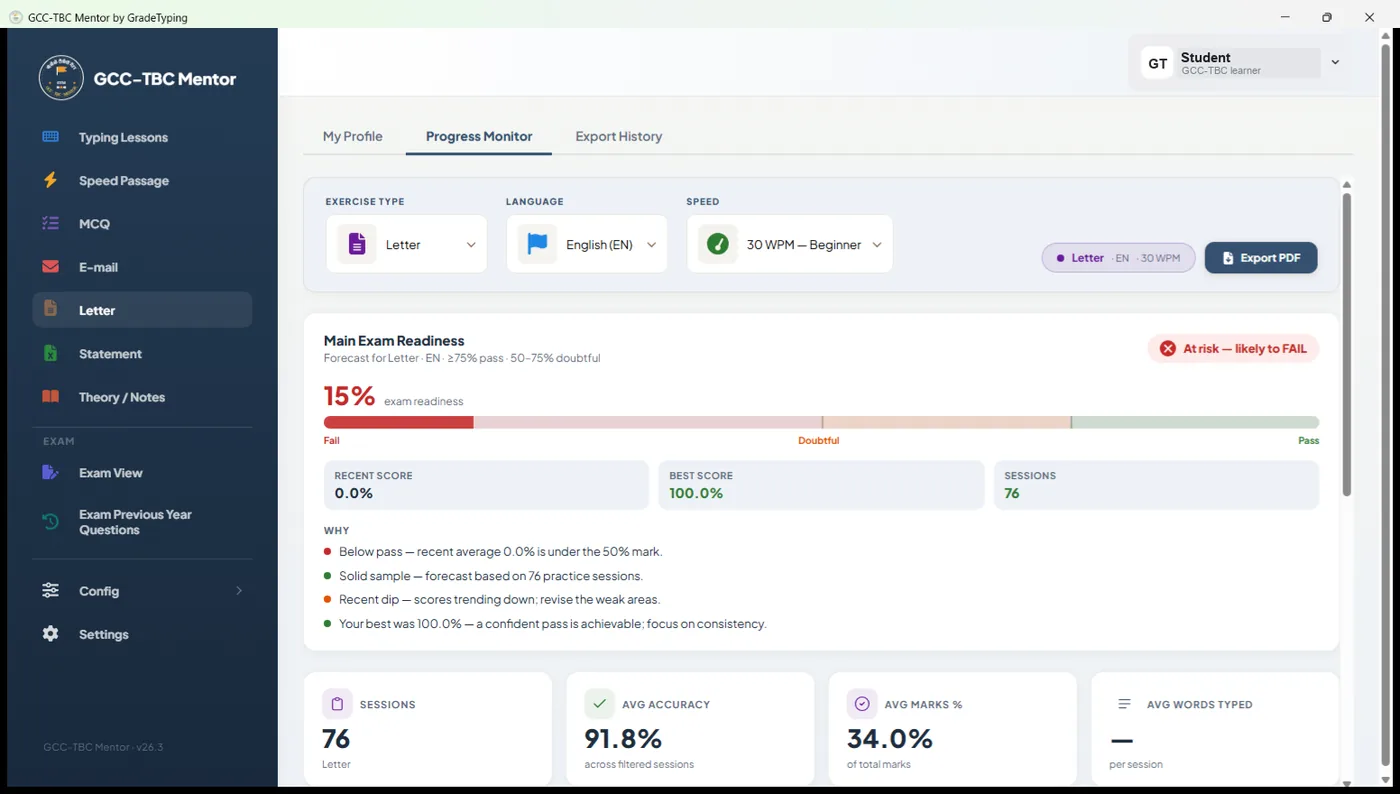
Progress Monitor
See at a glance how ready each student is — well before exam day. Every session is tracked, and each learner's readiness is forecast with a clear pass / fail gauge, progress charts and printable PDF reports you can hand to students or parents. Practising on your own? It tracks you just the same.
- Readiness at a glance — a pass / doubtful / fail forecast for every student, from recent scores.
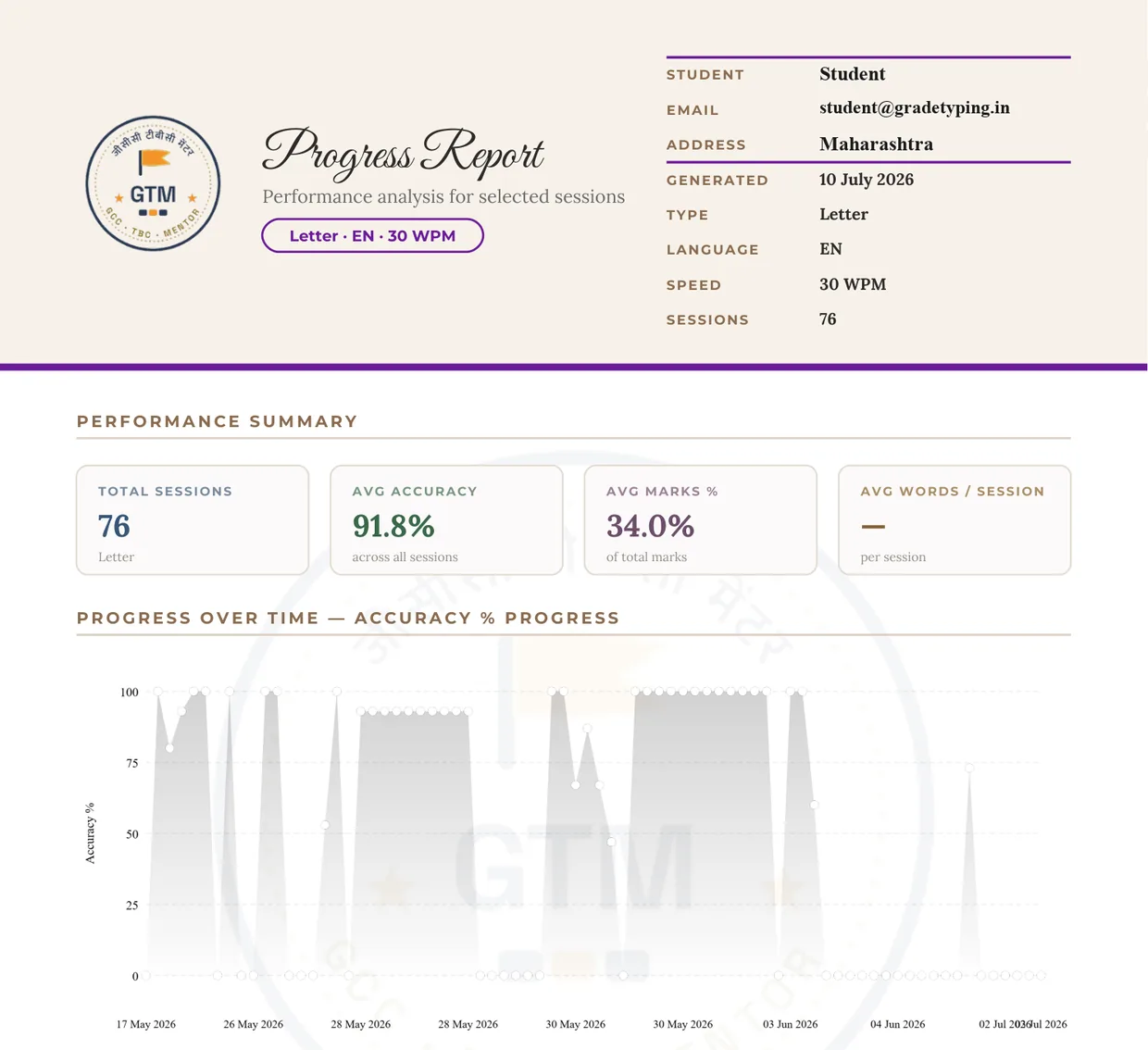
- Progress over time — accuracy, marks and WPM trends for each learner, session by session.
- Spot who needs help — a per-exercise breakdown shows exactly which module to focus on.
- Printable PDF reports — hand a student or parent a professional progress report in one click.
See every screen before you buy
Real screenshots from GCC-TBC Mentor — the practice modules, the exam simulator, progress reports and more.
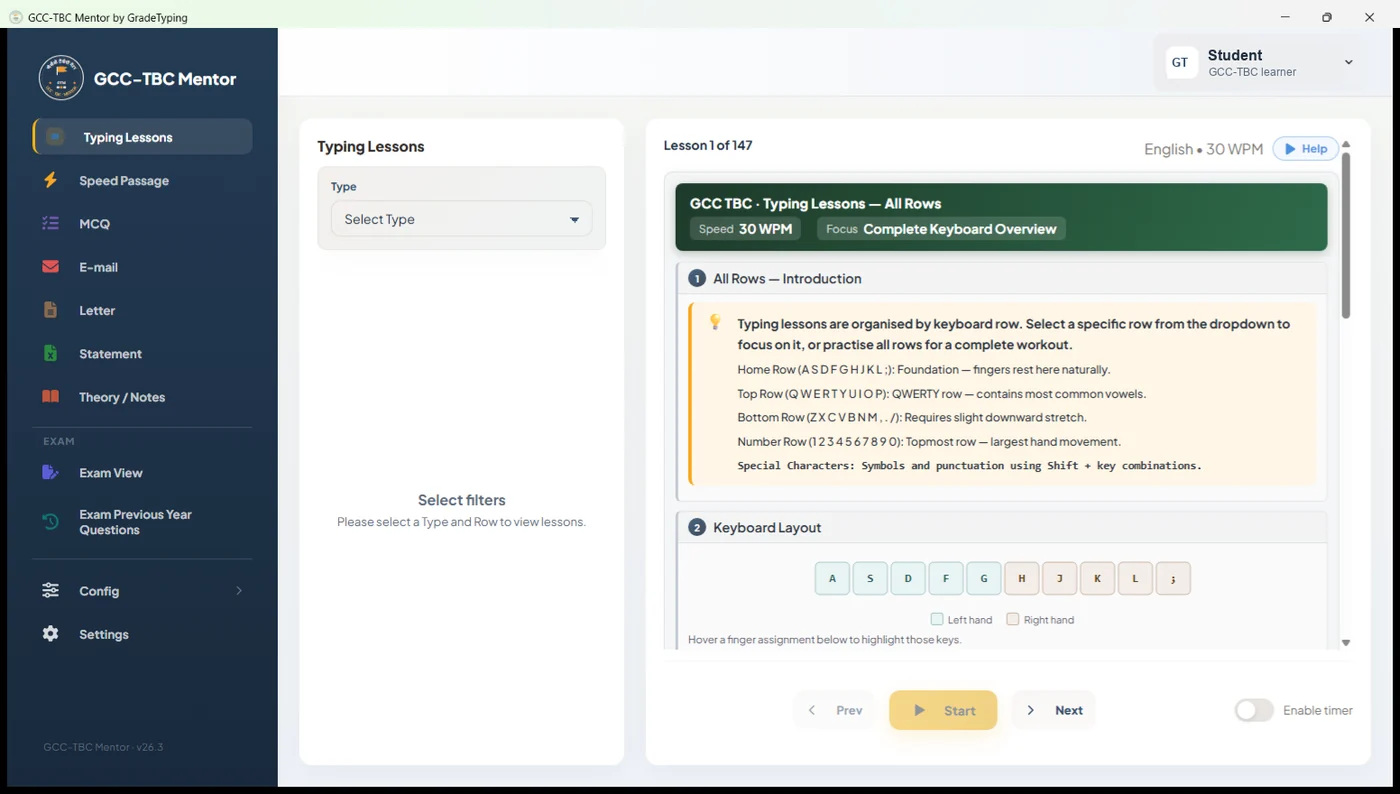
Guided typing lessons for every keyboard row, at 30 / 40 / 50 WPM.
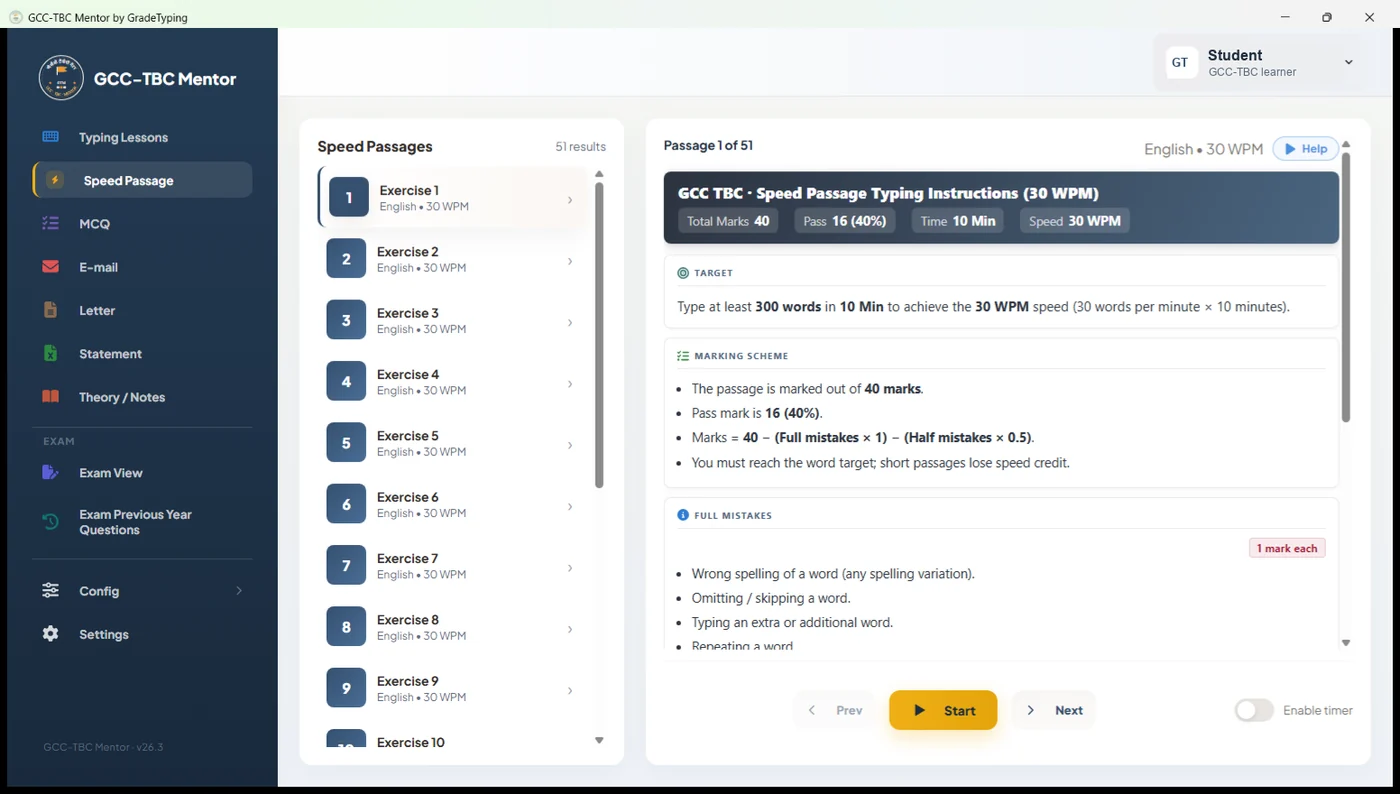
Speed-passage typing with configurable targets and detailed results.
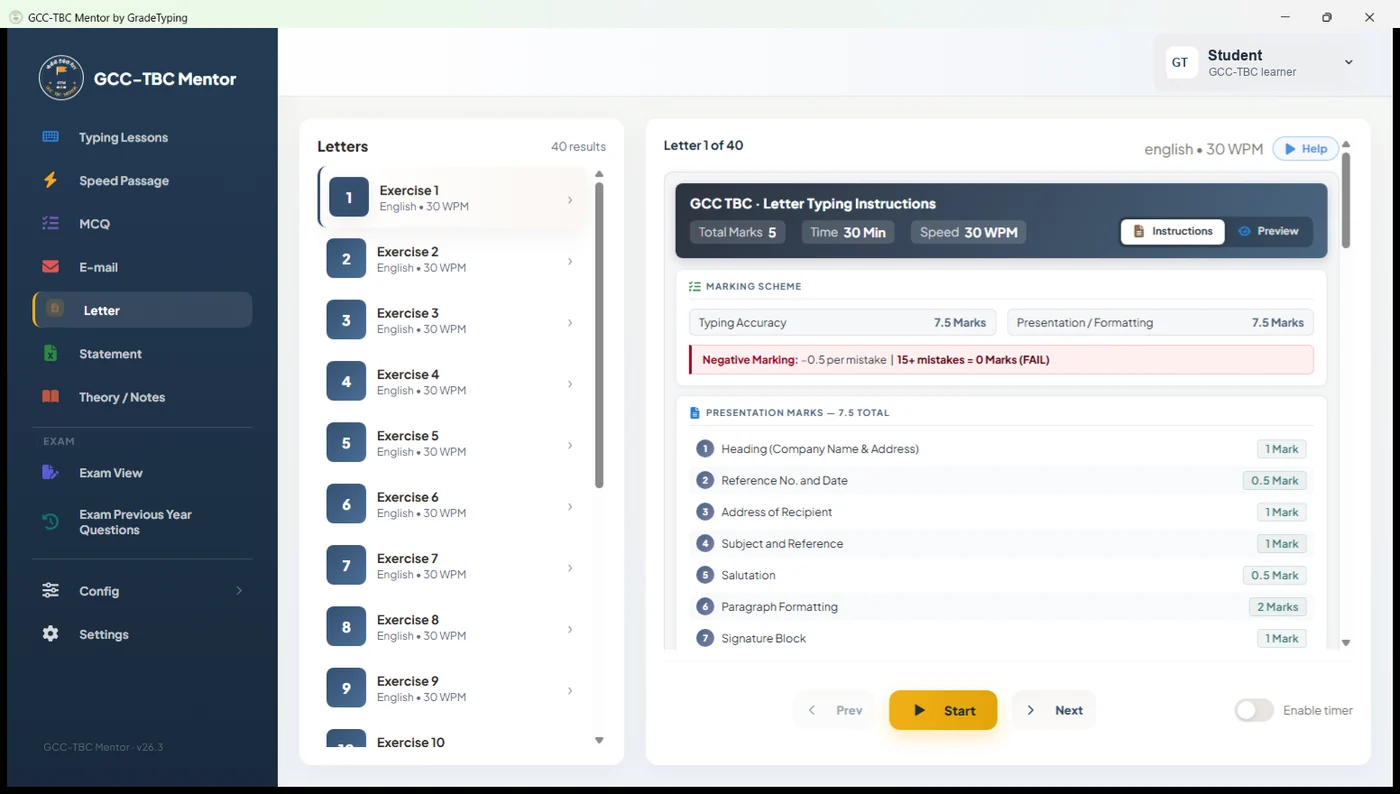
Letter practice marked on accuracy and presentation.
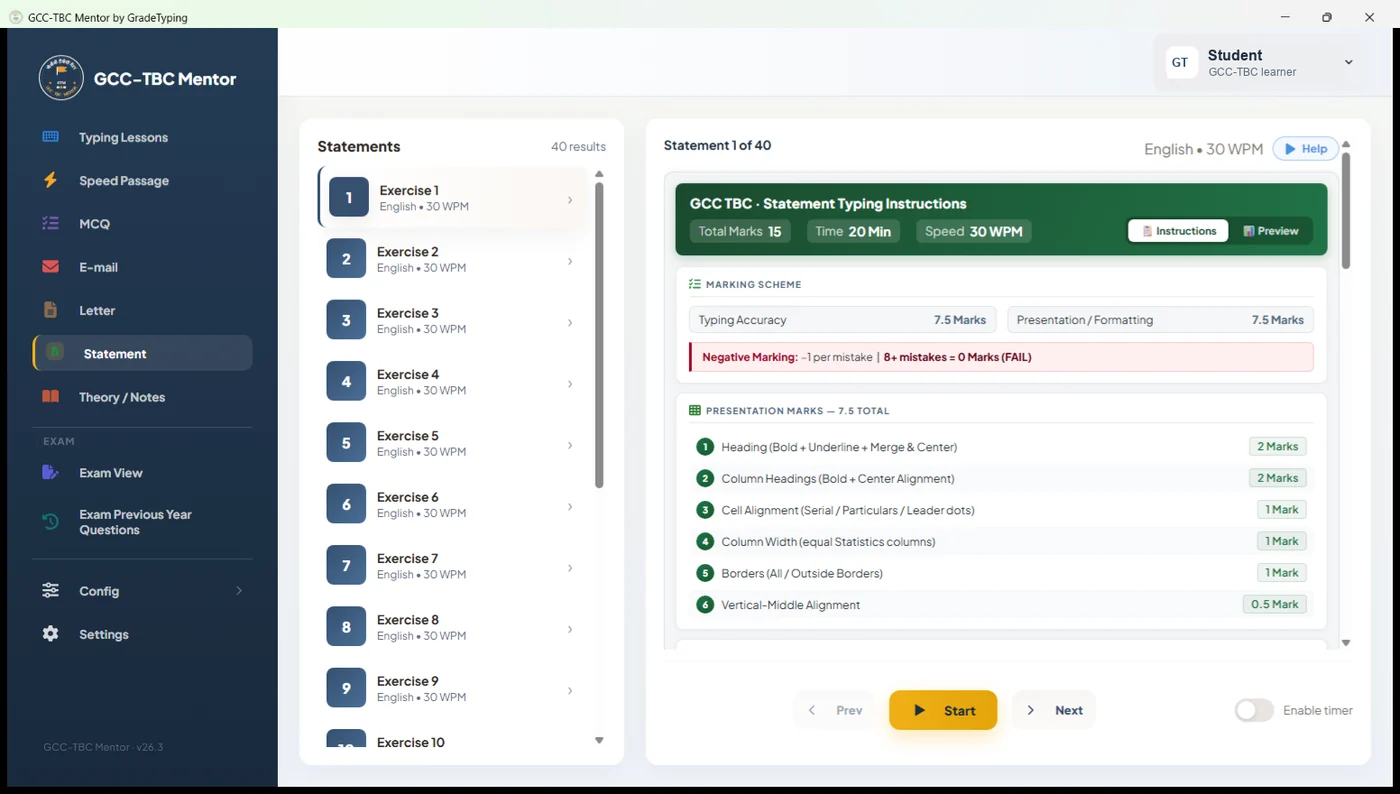
Statement (spreadsheet) practice, marked on formatting and accuracy.
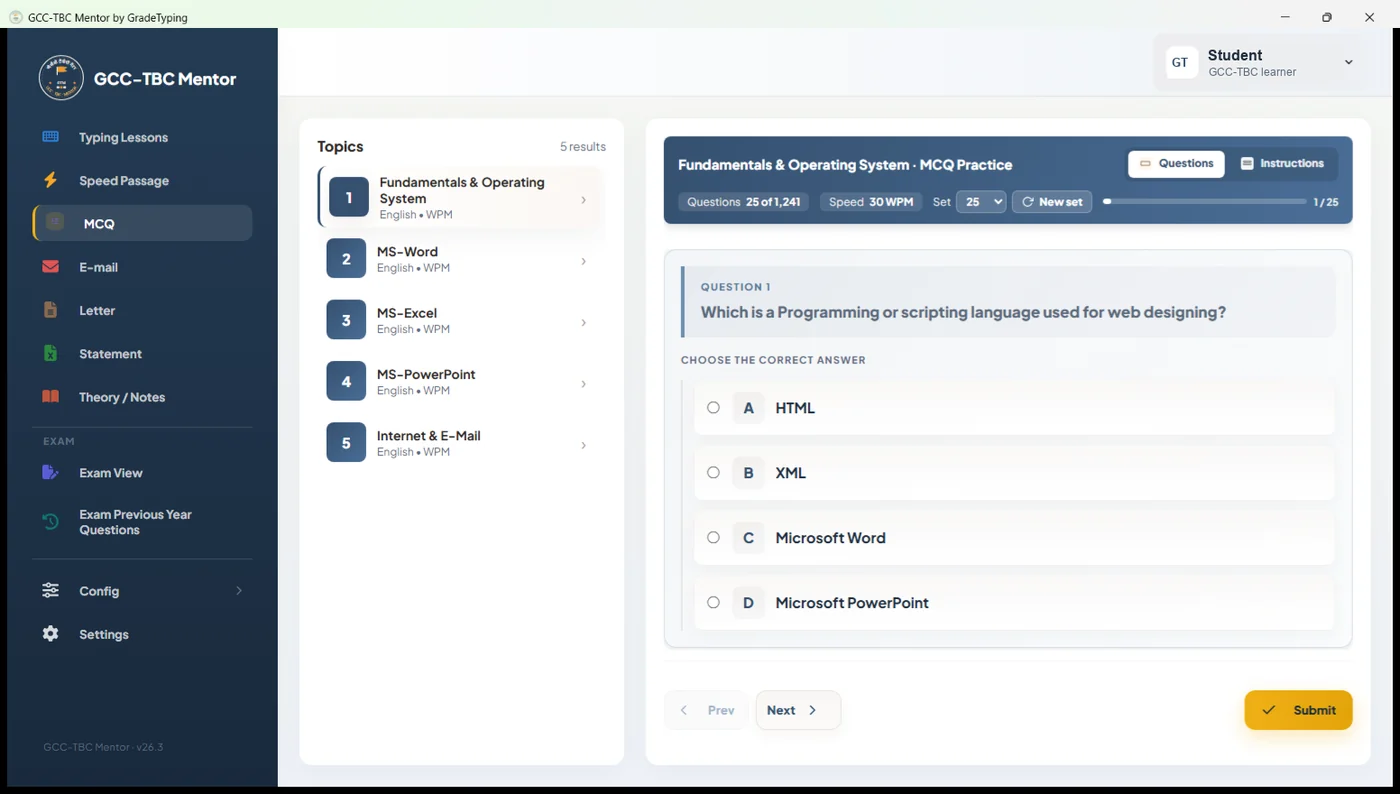
Objective (MCQ) practice organised by theory topic.
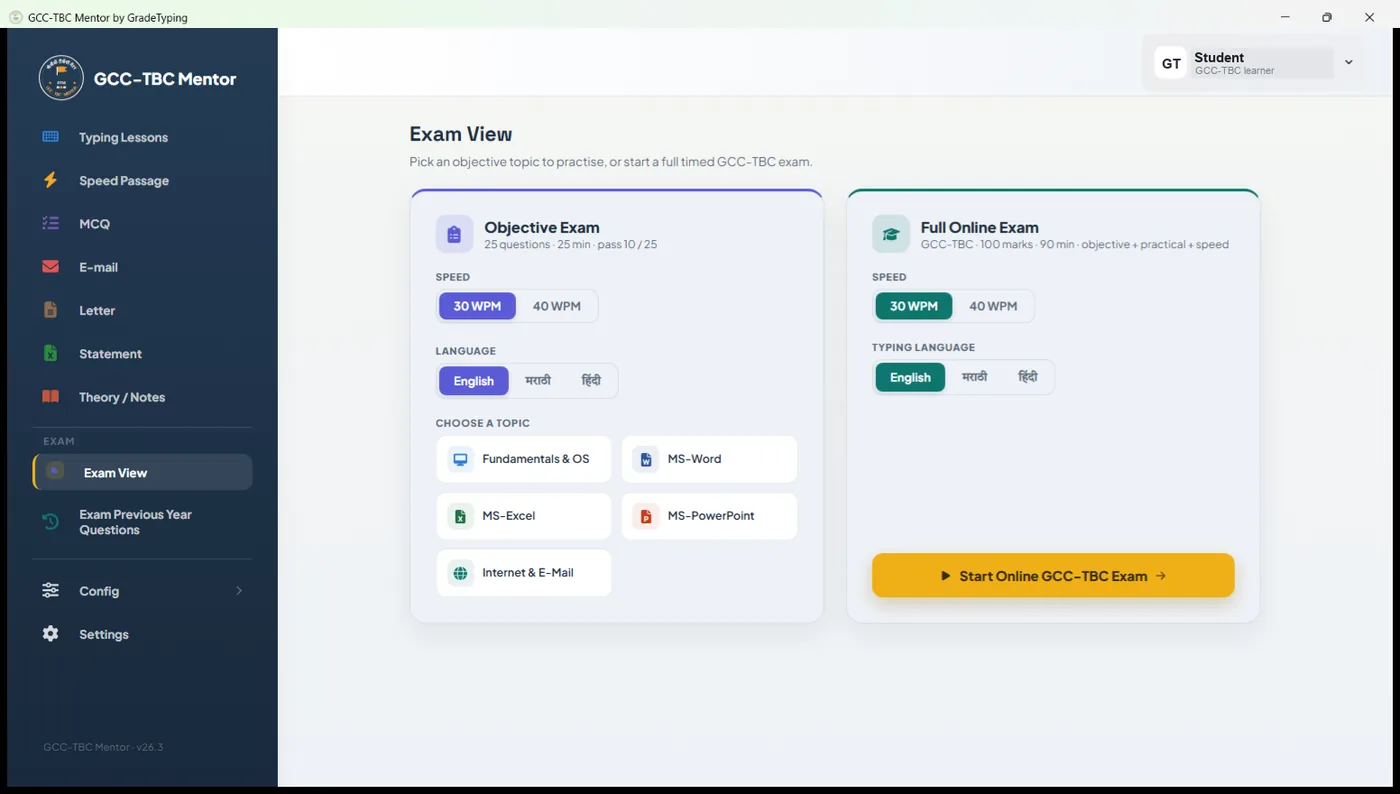
Exam View — practise an objective topic, or launch a full timed GCC-TBC mock exam.
Progress Monitor — an exam-readiness forecast from your sessions, with a pass / fail gauge.
Export a polished PDF progress report — summary, trend charts and every session.
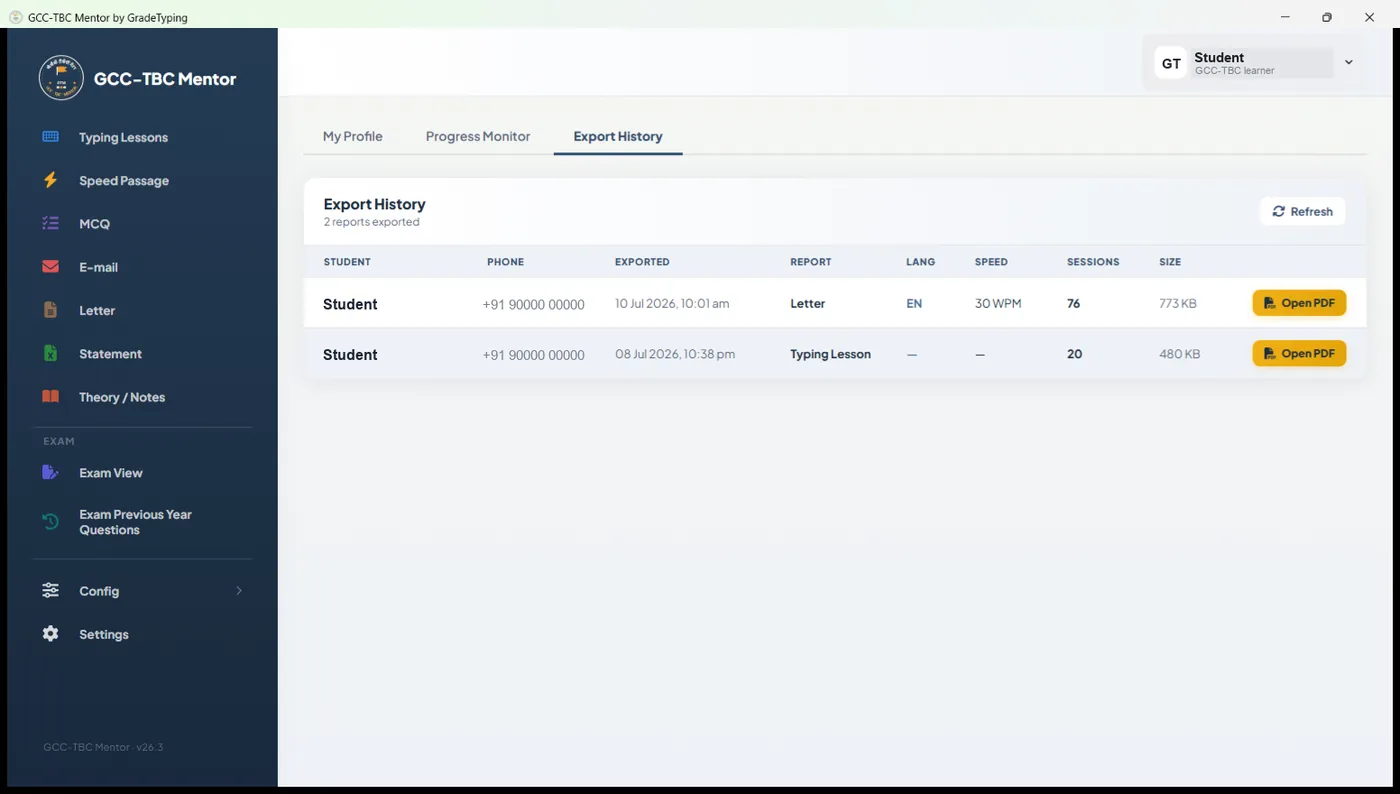
Every report you export is saved to your history — ready to re-open or share.
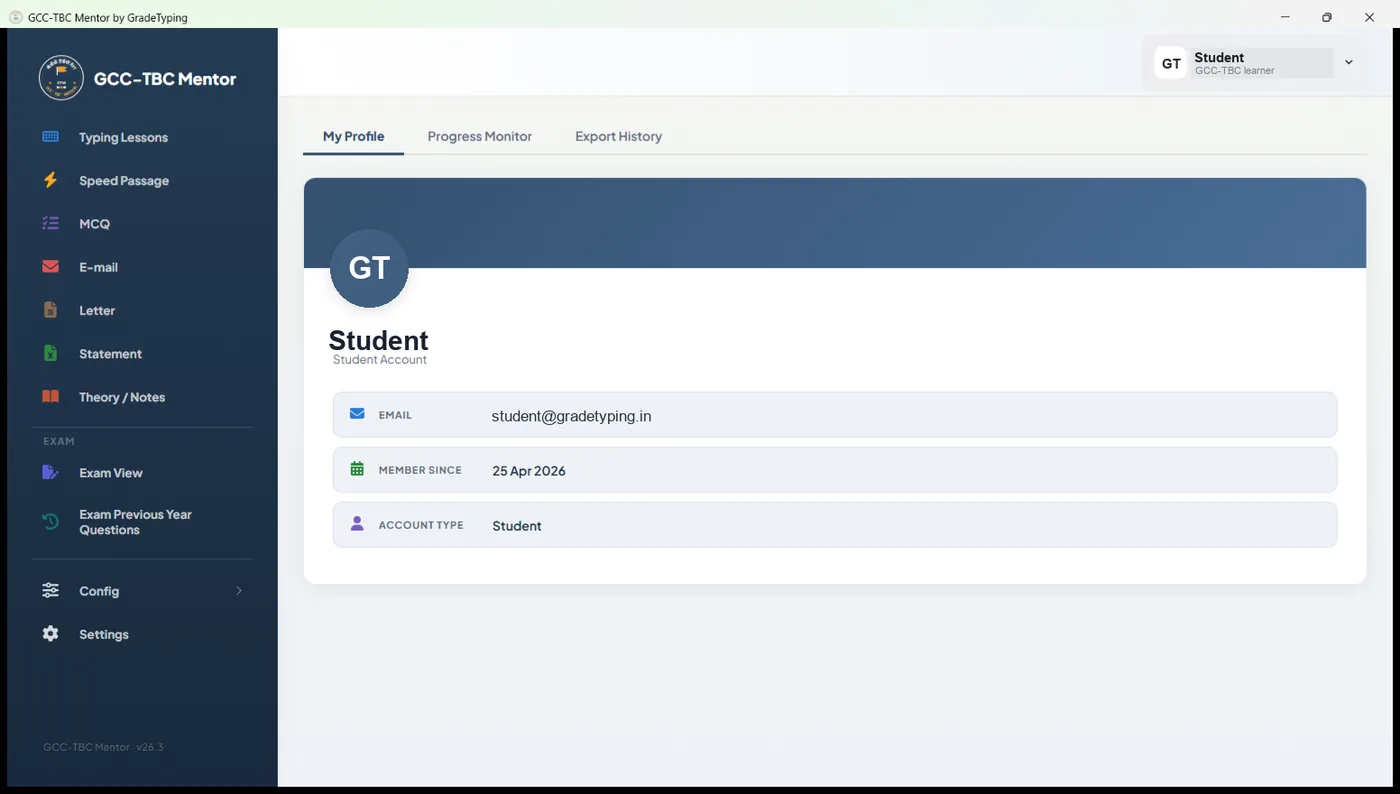
Your profile — account details, progress monitor and export history in one place.
How it works
Four simple steps stand between you and your certificate.
Install & Activate
Install on Windows 7 through 11. Enter your licence key once — activates in seconds.
Pick Language & Speed
Choose Marathi, English or Hindi and set your target WPM (30, 40 or 50).
Practise Every Module
Run configurable timed sessions for typing, letter, statement, email and theory practice.
Improve From Feedback
Read your detailed report after every session and watch your speed and accuracy climb.
The honest comparison
Spend ₹249 once, or risk an attempt with tools that were never built for this exam.
| GradeTyping | Free typing sites | Practising blind | |
|---|---|---|---|
| Structured GCC-TBC module practice | ✓ | ✕ | ✕ |
| Marathi / Hindi / English practice | ✓ | ~ | ✕ |
| Word & Excel formatting auto-graded | ✓ | ✕ | ✕ |
| Strict timer + no-backspace mode | ✓ | ✕ | ✕ |
| Works fully offline | ✓ | ✕ | ✓ |
| Objective theory practice | ✓ | ✕ | ✕ |
| Detailed result & error analysis | ✓ | ~ | ✕ |
Quick answers
Do I need internet to use it?
No. After a one-time online activation, GCC-TBC Mentor runs completely offline — perfect for institute labs with limited connectivity.
Does it support exam-focused practice?
Yes. The typing, letter, statement, email and theory modules provide configurable timed practice and an optional backspace lock.
Which languages are supported?
Marathi, Hindi and English — switchable instantly, with Devanagari (Remington) keyboard support.
Can one licence cover a full lab?
Yes. The 1+3, 1+5 and 1+10 Extenda plans let one licence activate up to 4, 6 or 11 computers respectively.
What are the system requirements?
A Windows 7, 8, 8.1, 10 or 11 PC. MS Office is needed for the Letter/Statement modules.
Your success — in your own language.
Join thousands of candidates practising the smart way. Licences start at just ₹249/year.
- ✓ Instant activation
- ✓ Fully offline
- ✓ Multi-PC plans for labs